

Expert Session:
Bluebeam Max

Free Event ● In-Person ● BWI/Linthicum, MD
NEW FEATURE - Revu
Connected To AI
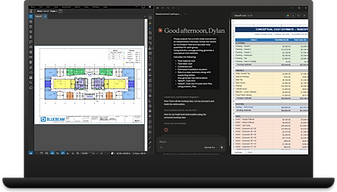
Big news for anyone who lives in Bluebeam: Max is live, and it is packed with new features that are already reshaping how firms use the tool daily. This is your chance to learn it hands-on, straight from an expert, before it becomes the new standard on every project.

NEW FEATURE - Studio Sessions Connected To Revit

Who Is This Session For?
Bluebeam Max is a new release, and most AEC professionals, even longtime Bluebeam users, have not had a real chance to learn it yet. If your team needs to know what has changed and how to use it before it shows up in a deadline, this session is built for you.
Prior experience: None required
Format: In person, one session
Cost: Free, lunch included
Date: Friday, September 18, 2026
Time: 11:00 AM – 1:00 PM
Location: Print-O-Stat — BWI / Linthicum
811 Pinnacle Drive,
Suites A-B,
Linthicum, MD 21090
Host: Print-O-Stat, Inc.
Schedule

11:00 AM - 12:00 PM
Expert-led Walkthrough
Bluebeam Max recently launched, so our in-house Bluebeam trainers are walking through it live, feature by feature. We will cover Connected Studio Sessions with Revit, AI-powered Smart Overlay, and automated Stitching, so you leave knowing how to use them, not just what they do.
12:00 PM - 1:00 PM
Lunch, Open Floor, & Q&A
Catered lunch gives you time to talk shop with the team and other attendees while you eat, no agenda, just conversation. Then bring your own project questions to the group and get real answers from our trainers before you are back at your desk and back on deadline.
Meeting Our Expert
Thomas Bechtel
Print-O-Stat's Bluebeam Trainer


Reserve
Your Seat
Seating and catering are counted by headcount, so every attendee needs to be on the roster.
Sign up here to hold your spot.

Smart Overlap
Revu Connected To AI

Studio Sessions Connected To Revit